Word and Character Counter: A Simple Tool for Accurate Text Counting
Why word and character counts matter for writers, students, and marketers, and how to use an online counter to check text accurately.
Counting words and characters looks like small task, but trust me it becomes so important when you actually write content.
I'm a blogger, so I know. Client says "I need 1500 words article". Or university says "assignment max 1000 words". Or Instagram bio has character limit. Or Google ad headline only allows 30 characters.
If you try to count manually? Impossible. Especially long article.
That's why I always use Word and Character Counter. Paste text, instant result. So easy.
What is Word and Character Counter?
Like 50 words
280 characters
5 sentences
1 paragraph
Something like that. Depends on tool.
Instead of counting manually, it does in seconds, even for big article.
Why word counting important?
So many situations.
Students - assignments have min or max words.
Writers - client asks for 1500 words article. You need to know when you hit target.
Freelancers - many paid per word. So counting important.
Website owners - planning content length.
Example, I was asked to write 1500 words article. I wrote and thought it's enough, but when I checked counter it was only 1100 words. So I added more sections. Without tool I would have submitted short article.
Why character counting important?
Character is different from word.
Character means every letter, number, punctuation, symbol, and space (depends on tool if they count space or not).
Character limits common on internet.
Online forms limit input. Social media has limits. Ads headline/description has limits like 30 chars, 90 chars.
In those cases, word count not useful, character count useful.
Word count vs Character count
Different things.
Sentence: "Online tools make writing easier."
Word count - counts words. This sentence has 5 words.
Character count - counts letters. This sentence has like 32 characters including spaces, more without.
Writers usually focus on word count for articles, essays, reports.
Character count more important for short content - forms, titles, ads, social posts.
How word counter works?
Basic idea - it splits text by spaces.
"This is a simple example." - it sees 5 groups separated by spaces = 5 words.
Advanced counters also handle multiple spaces, line breaks, punctuation better.
Different tools may give slightly different result for weird text because no universal rule for every case. But for normal paragraphs, all good counters give same result.
How character counter works?
Simple - counts characters.
Some tools show:
Characters including spaces
Characters excluding spaces
Letters only
Numbers, symbols
Having both with spaces and without spaces useful because some platforms count differently.
Like a sentence may be 100 chars with spaces, but 85 without spaces.
So when platform says limit, you need to know which counting they use.
How to use? My steps
Step 1 - Write or copy your text. Article, essay, product description, social post, anything.
Step 2 - Paste in tool's text area. Many modern counters update automatically as you type, no need to click button.
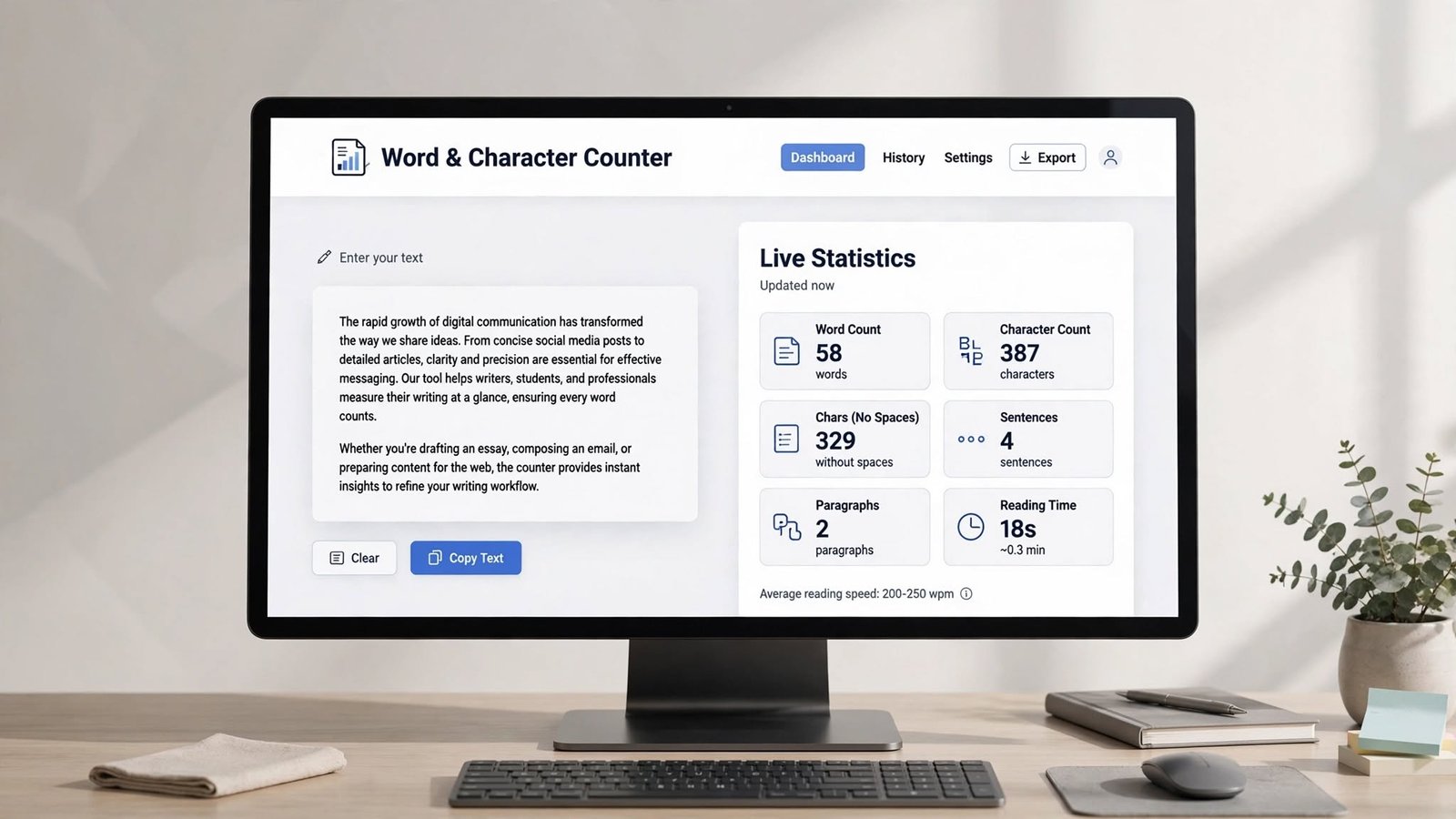
Step 3 - See stats - word count, character count, characters without spaces, sentence count, paragraph count, reading time.
Step 4 - Edit if needed. If too long or too short, change text and stats update live.
So easy.
Benefits - why I use daily
Saves time - counting 1000 words manually would take forever, tool gives in 1 second.
Helps meet requirements - if assignment or article has limit, you can stay within range.
Useful for short content - char limits for ads, forms, social media, you can stay within.
Improves planning - you can divide article into sections and track word count per section, keeps structure balanced.
Easy - no install, no tech knowledge, just paste.
For students
Students use word counters most.
Student pastes essay and instantly knows if meets requirement. Much easier than guessing visually.
Also useful for online applications, scholarship forms with strict char limits.
For writers
Freelance and professional writers always work with word requirements.
Client says 2000 words article, writer can divide into sections and monitor each section's word count.
Makes long-form writing more organized.
For bloggers
Bloggers need to know article length.
Not that longer always better, but you need enough detail to answer reader's question.
Word count helps planning. Instead of writing randomly until feels complete, you can set targets - intro 150 words, main sections 1000 words, conclusion 150 words etc.
For social media
Social media needs short, concise writing.
Creator wants to convey idea in limited chars.
Character counter helps check length before publishing.
Useful for short posts, captions, headlines, promo messages, bio, comments, ads.
Limits change over time, so always check current platform limit, but counter helps you stay within.
For ads
Digital ads have short fields.
Headline may need to be under 30 characters, description under 90 etc.
Character counter helps write within limits, so you don't have to keep editing after ad platform says "too long".
Characters without spaces
Some tools give both with and without spaces.
Useful because some apps count differently.
100 chars with spaces may be 85 without spaces.
When working with specific platform, understand which method they use.
Sentence and paragraph counting
Modern counters give more than just words.
Sentence count helps you see structure. If you have extremely long sentences, hard to read. If all sentences very short, feels unnatural.
Paragraph count helps evaluate article structure.
Useful during editing.
Reading time
Some counters show estimated reading time.
If document has 1000 words, tool may say ∼4-5 min read.
Useful for bloggers because you can show visitors "5 min read" - gives idea how long content takes.
Only approximate, because reading speed varies.
Word count and SEO - my opinion
People talk about word count for SEO.
But longer doesn't mean better. Google doesn't rank just because article is long.
Useful content should answer reader's question clearly.
Word counter helps planning and consistency, but don't add filler meaningless words just to reach target. Adding 500 useless words to hit 2000 will make article worse, not better.
Goal should be useful info, not arbitrary number.
For editors
Editors use counting tools to know document size before editing.
Char and sentence stats give extra info about structure.
For teams producing lots of content, consistent measurement makes workflow organized.
For freelancers
Freelancers need to prove work meets client's length request.
If client asks 1200 words, writer can verify final doc before submitting, avoids revision.
Can it handle long articles?
Most browser based counters can handle large blocks quickly, because calculation happens in your browser itself.
For everyday articles, essays, blog posts, web based counter enough.
For very huge documents like book, maybe Word or Google Docs better, but for normal use online tool fine.
Privacy - important
Be careful what you paste.
If content has confidential business info, private docs, passwords, personal records, unpublished book - understand how tool processes text.
Some simple counters do calculation directly in browser, no server. Others send to server.
For sensitive content, choose tool that processes locally, or use offline tool like Word.
For normal public text, less worry.
On mobile
Responsive counter useful on phones too.
You can type or paste and see stats instantly.
Good mobile interface should have readable text area, clear stats, big buttons, fast results.
I often check on phone when away from laptop.
Common mistakes when checking count
Different apps count differently - Word, Google Docs, online tool may give slightly different numbers because counting rules different.
Punctuation affects results - unusual punctuation may be handled differently.
Copying formatted text - text copied from websites may have hidden formatting or double spaces, so cleaning text before counting gives more predictable result.
Word count != quality - 500 word useful article better than 2000 word badly written article. Number should support purpose, not be only goal.
What makes good word counter?
For me reliable counter should have:
Real-time word counting
Real-time character counting
Characters without spaces
Sentence count
Paragraph count
Reading time estimate
Copy button, clear button
Mobile friendly
Most important - accurate + easy to use. Clean simple interface.
Quick FAQ
What is Word and Character Counter? Online tool that counts words and characters in text.
Can it count without spaces? Yes many tools give separate count excluding spaces.
Can count full article? Yes, paste full article and get total stats.
Word count same as character count? No. Word = groups, character = individual letters/symbols.
Can students use? Yes, helps check assignment limits.
Can writers use for articles? Yes, monitor length and organize content.
Does counter improve writing? Not automatically improves quality, but helps manage length and structure.
Can use on phone? Yes, mobile friendly online counter works via phone browser.
Final thoughts
Word and Character Counter is simple tool but extremely useful for anyone who writes.
Students use for assignments, writers for article length, bloggers for planning, marketers for short promo, social media creators for char limits.
Biggest advantage is convenience. Instead of manual counting, paste and get accurate stats in seconds.
Word count and character count alone don't measure quality, but they are valuable when project has specific length requirements.
With simple interface and useful stats like words, characters, sentences, paragraphs, reading time, a good counter becomes practical part of writing workflow.
I use it daily, bookmarked, saves me so much time.
Jobnix Editorial Team — part of Jobnix Tools, we write and review practical guides for the free tools on this website, so you can use them with confidence.