Lorem Ipsum Generator: What It Is, How It Works, and How to Use Placeholder Text Effectively
What lorem ipsum is, where placeholder text comes from, and how to use it properly when designing pages, templates, and mockups.
Big heading, nice sections, cards, everything perfect. But it was empty. No text. Just boxes.
I showed it to my client and he said "bro where is content? I can't imagine how it will look with text".
I realized he's right. Empty design means nothing. You can't judge spacing, font size, card height if there's no text inside.
That's when my senior told me "put lorem ipsum". I was like "what is that?".
He said it's fake text. Dummy text. Looks like English but means nothing. Just to fill the design.
And yeah, that changed everything.
So what is Lorem Ipsum actually?
It's just fake placeholder text. Looks like a real paragraph but it doesn't mean anything. It's been used since like 1500s in printing. Old stuff.
Why use fake text? Because you need SOMETHING that looks like text while you design. You can't wait for final content.
Suppose you're making an article page but article is not written yet. If you leave it blank, you can't see if your line height is okay, if paragraph width is too big, if mobile view breaks.
So you put lorem ipsum paragraphs. Now you can actually SEE how page will look when real text comes.
If you just put "text text text text" it doesn't look real. Lorem ipsum looks like real English sentences, so design looks more natural.
Why designers can't work without it?
Because content always comes late. Always.
Design is ready but marketing team is still writing. App is ready but instructions not ready. Website layout ready but product descriptions not ready.
You can't stop your work and wait for 2 weeks for content.
So you put temporary dummy text, finish your design, test everything. When real content comes, you replace.
With dummy text you can check:
Does this paragraph width feel comfortable or too wide?
Font size okay or too small?
Line height too tight?
Heading has enough space?
Does page feel too crowded?
On mobile, does text break nicely?
Cards same height or one taller?
You can't answer these with empty boxes. You need some text inside.
What is Lorem Ipsum Generator then?
Like you need:
10 words for a button? It gives.
50 words for a small card? Gives.
500 words for a full page? Gives.
3 paragraphs for article design? Gives.
Super fast. Web designers, app designers, graphic designers, even students learning HTML - everyone uses it.
How does it work? I do like this
Very simple.
I open any lorem ipsum generator site. There are 100s free.
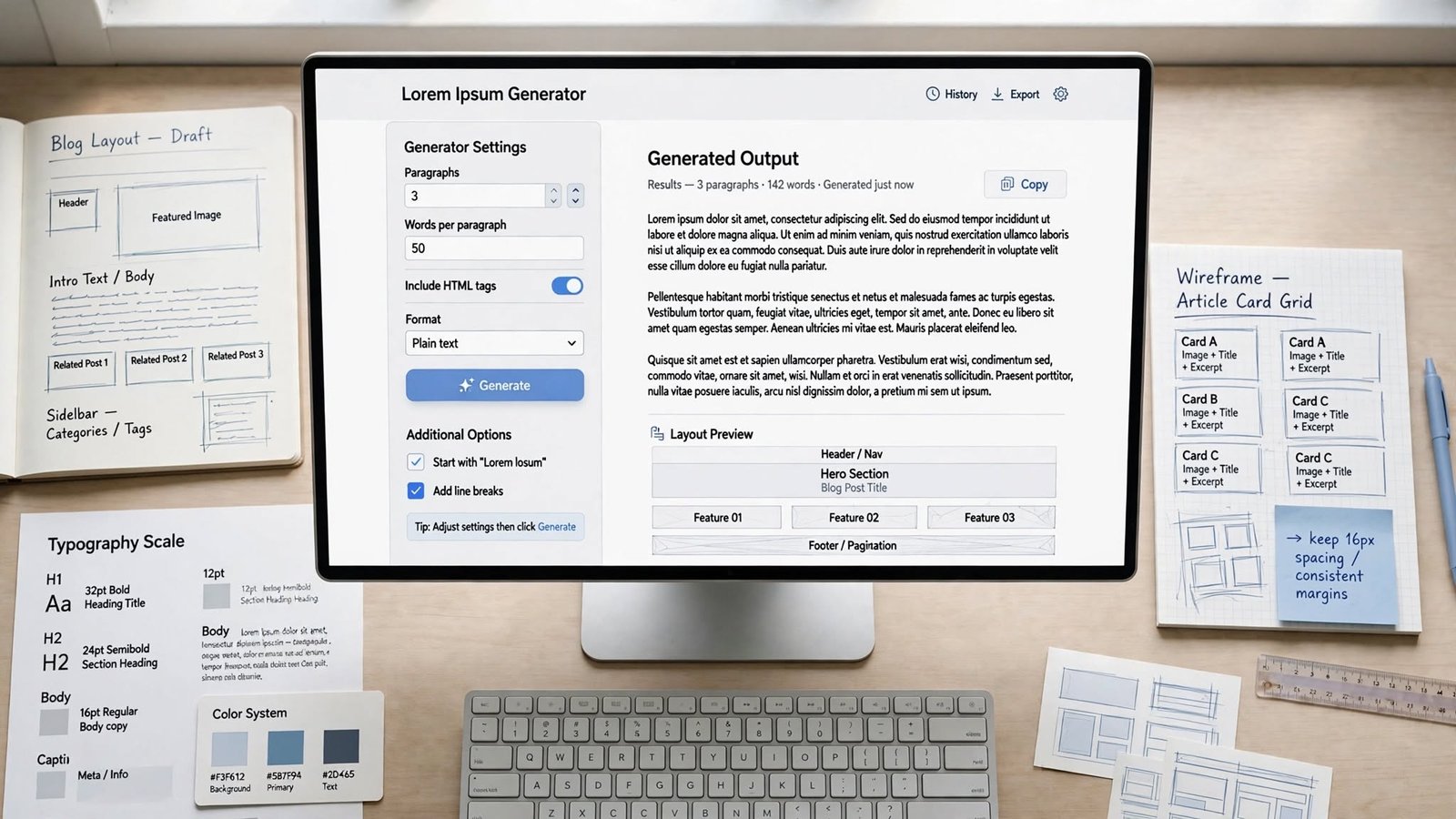
It asks how much you need - words, sentences, paragraphs. I select. Like I need 3 paragraphs.
I click Generate.
It makes random paragraphs. I copy.
I paste in my Figma, or HTML, or Photoshop.
Done. Takes like 5 seconds.
Some advanced ones let you choose starting with "Lorem ipsum dolor sit amet..." or not, but basic ones just give random.
Where I use it - website design
This is most common.
Suppose homepage has 4 sections. I know each section will have heading + 2 paragraphs. But final text not ready.
So I put lorem ipsum 2 paragraphs in each section. Now I can see if section looks too tall, or too empty, or perfectly balanced.
I once made a card design that looked perfect with 3 lines of text. But when client put real text which was 6 lines, card height broke. If I had tested with 6 lines of lorem ipsum before, I would have caught it early.
Also for responsive testing. Paragraph that looks perfect on laptop might become super long on mobile. With dummy text you can test mobile view before real content arrives.
For UI / UX design
When you make app prototypes - like navigation, buttons, forms, cards, profile pages, article pages...
Final wording not ready. So you put dummy text.
Why important? Because text length changes UI totally.
A button with "OK" vs button with "Confirm Your Order" - different width.
A profile card with 2 lines vs 5 lines - different height.
With dummy text you can test different lengths quickly.
For graphic design - brochures, posters
Not only websites.
If you're making brochure, flyer, magazine, poster, business report - you often don't have final text when designing.
You know article will take 2 columns but you don't have article yet. So you fill with lorem ipsum, adjust fonts, margins, images, spacing. When real article comes, you replace.
For app development
Mobile app screens need testing too.
You have a screen with description. Final description not ready. You put dummy text and test - does text wrap correctly? Does button go down? Does font size work? Does screen scroll?
For example, a button label works with 10 characters but breaks with 30 characters. If you test with long dummy text you will find this bug early.
Why not just leave empty?
Because empty lies.
Empty layout doesn't show real problems. Text has height. Headings take space. Lists change spacing. Long words break lines.
If you design empty and later put real text, everything shifts. Your perfect design breaks.
Dummy text gives you more realistic preview. It's not final, but it's closer to final than empty.
How much should you generate?
Depends what you're testing.
Button? Just 2-3 words enough.
Card? One short paragraph.
Article page? 4-5 paragraphs.
Full landing page? Maybe 300-500 words.
Don't generate too little - you won't catch layout issues.
Don't generate too much unnecessarily - like you don't need 2000 words to test a button.
Best is - guess how much real content will be there, and generate similar amount. If article will be ∼1500 words, don't test with only 100 words. Test with 1000+.
Words vs Sentences vs Paragraphs?
Tool gives options.
Words - good for buttons, tags, navigation, small labels.
Sentences - good for testing single sections, more natural line length than random words.
Paragraphs - best for article pages, big content areas. Shows vertical rhythm.
Choose what matches your final content.
Typography testing - my favourite use
Fonts, font size, line height, letter spacing - all that typography stuff looks different with real paragraphs.
With dummy paragraphs you can test - does this font family look good? Is font size too small? Is line height too tight? Is content column too narrow causing too many line breaks?
You can compare two fonts quickly with same dummy text.
Responsive design testing
This is super important.
Desktop pe perfect lag raha hai, mobile pe kharab.
Because when screen becomes narrow, lines become shorter and paragraph becomes taller.
So I generate like 3 paragraphs and check on desktop, tablet, mobile. See if headings wrap correctly, paragraphs readable, buttons in right place.
Catches responsive bugs before launch.
Content planning
It also helps content writers.
Designer makes a section with space for heading + paragraph. By testing with dummy text, you can tell writer "hey we need around 100 words here, not 500". So writer knows limit.
Better than writer writes 500 words and then designer has to redesign because space is small.
Should you leave it on live website?
Big NO.
Lorem ipsum is only for temporary, for design time.
Live website should have real, meaningful content. If you leave lorem ipsum on live site, it looks unfinished, unprofessional. People will think site is broken.
And for SEO also bad. Google wants useful content, not random fake paragraphs.
So use it during design/dev, but before publishing, replace with real original content - articles, product info, service descriptions, FAQs, etc.
Common mistakes I have seen (I did some too)
Biggest - forgetting to replace before going live. I've seen live sites with lorem ipsum still there. So embarrassing. Always do final content check.
Using too little text for testing. If final will be long, test with long dummy text too.
Thinking dummy text is final copy. It's not. Don't use it as instructions or product description.
Not testing mobile. Desktop looks perfect, mobile breaks. Always test all screen sizes.
Not testing long headings. Headings that wrap to 2 lines can break layout. Test with long headings too.
Why online generator is useful?
Speed - you get 500 words in 1 second.
Convenience - no need to write fake text yourself.
Flexible - you choose how much you need.
Better testing - filled layout looks more real than empty.
Easy copy paste.
Works for websites, apps, docs, posters - everything.
How to use it properly - my process
First I decide what I'm designing. Article page? I generate 4-5 paragraphs. Button? 2-3 words.
Then I paste and check design on desktop AND mobile.
Then when real content comes, I immediately replace dummy text. I don't let dummy text stay.
That way it never goes live by mistake.
For developers
Devs use it to test CSS, grid, flexbox, responsive components.
Like testing if cards stay equal height when descriptions have different lengths. You can generate one short paragraph and one long paragraph and see.
But devs should also test with real content later, because real content has long words, links, lists, numbers, which lorem ipsum doesn't have. So lorem ipsum is early testing only, not final testing.
Very useful for practice projects.
Is lorem ipsum the only option? Any alternative?
Not necessarily.
Sometimes real sample content is better.
If you're designing a news site, using real-like headlines "Breaking: New iPhone launched" gives you better idea than lorem ipsum.
If designing online store, using realistic product names like "Nike Air Max Shoes - Black" is better than fake Latin.
The closer your dummy content is to real final content, the better you can test design.
So lorem ipsum is one option, not mandatory.
Biggest benefit is speed. Instead of writing temporary paragraphs manually, you generate in seconds.
But remember - it's temporary. Always replace with real meaningful content before your website or app goes to real users.
Use it to support design process while real content is being prepared, not as replacement for real content. That's the key.
Used correctly, it makes design process faster and you catch layout problems early. Whether you're building website, app, magazine, or just practicing front-end, it helps you see how your design will actually look with text inside.
Jobnix Editorial Team — part of Jobnix Tools, we write and review practical guides for the free tools on this website, so you can use them with confidence.